Free Word template
Large-Print Order of Worship
A folded bulletin squeezes the service onto a 5½-inch panel. For members with low vision, that is a lot of small print. This template sets the same order of worship on full letter-size pages in 18-point type with 22-point headings, the sizes the American Council of the Blind's large-print guidelines call for (ACB Large Print Guidelines). Nothing on the page is smaller, and nothing is in italics. Hand it out alongside your regular bulletin, or use it as your only order of service.
Clicking the button saves order-of-worship.docx (a Word document, 7 KB) to your Downloads folder. No sign-up, no email address.
- PaperUS Letter, portrait. Large print (18-point).
- PrintingOne sheet, printed on both sides
- In the file2 pages
- Opens inWord, Google Docs, LibreOffice
What it looks like
What's in it
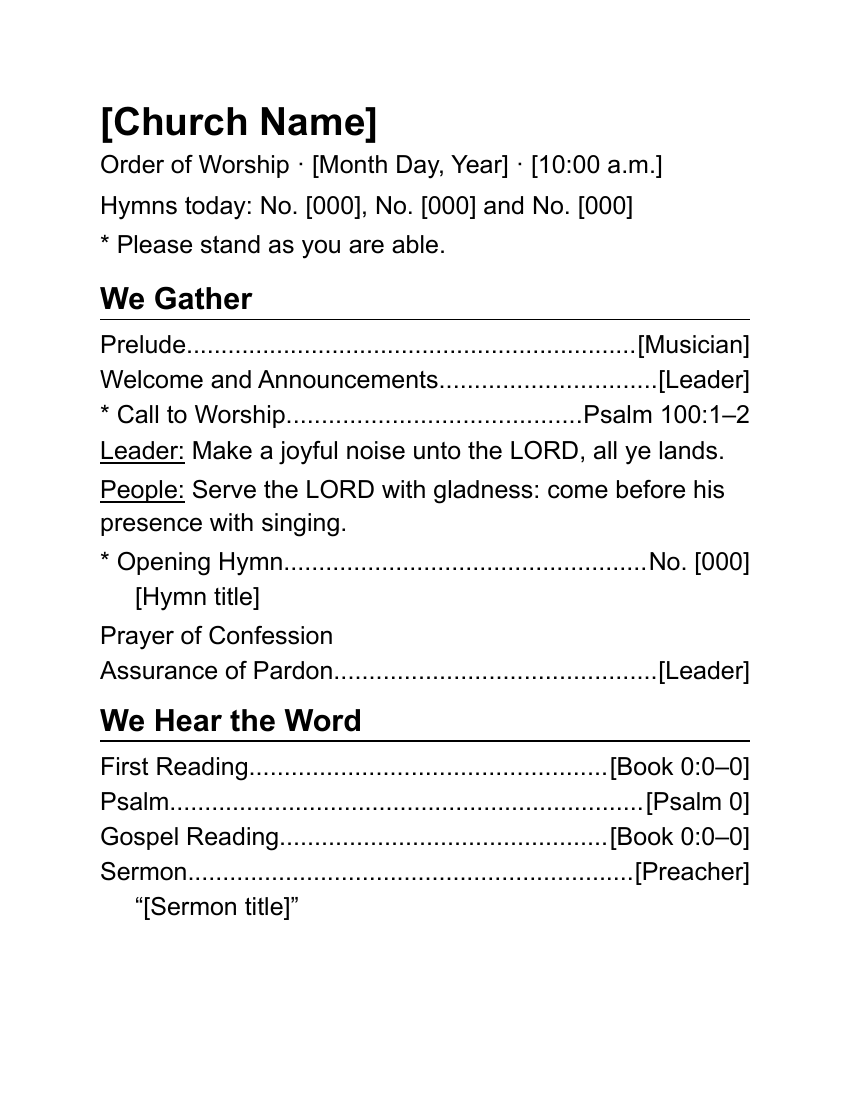
The front page carries the first half of the service under two headings, We Gather and We Hear the Word: prelude, welcome, a responsive call to worship from Psalm 100 (King James Version), the opening hymn, confession and assurance, the readings and the sermon. At the bottom, a short list repeats the three hymn numbers in large type, so nobody has to hunt for them mid-service.
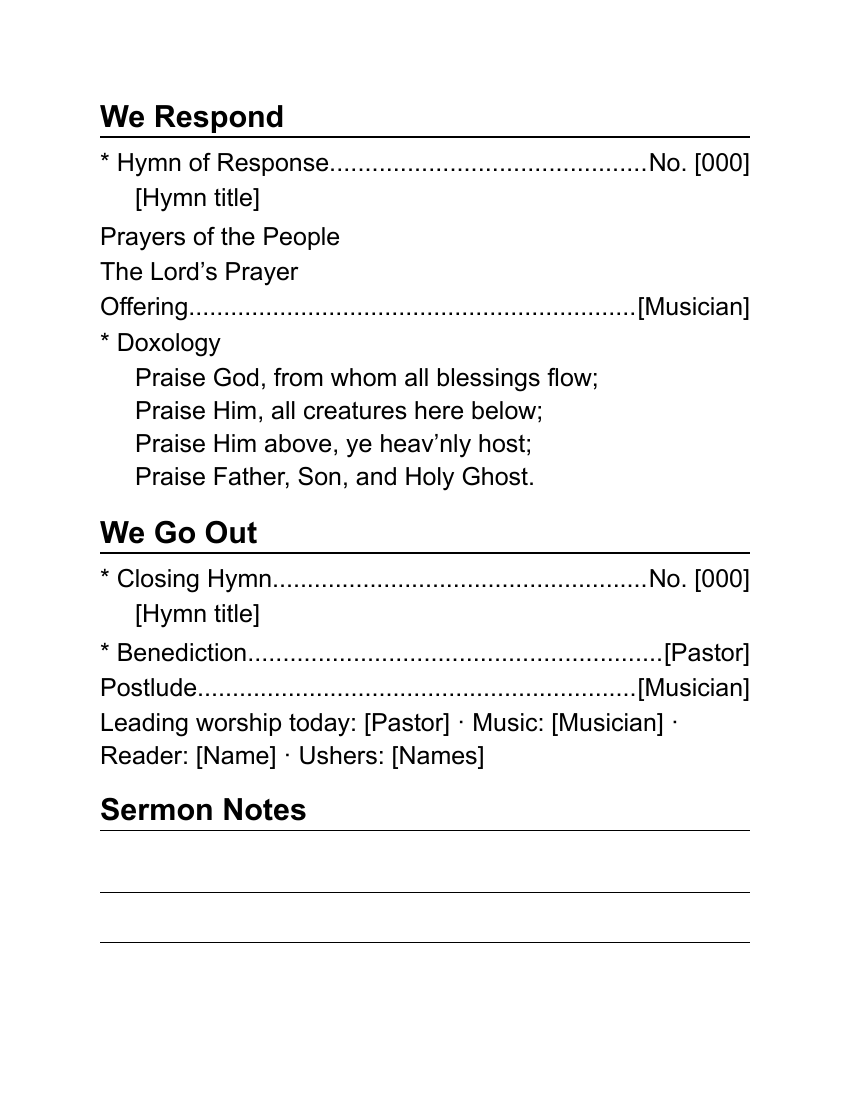
The back carries We Respond and We Go Out: the hymn of response, prayers, the Lord's Prayer, the offering, the Doxology printed in full, the closing hymn, benediction and postlude. Below that is a line for the names of today's worship leaders and four ruled lines for sermon notes.
Every heading is a real Word heading style, so a screen reader can move through the page heading by heading. That matters for members who read the bulletin on a phone or tablet with the text read aloud.
Fill it in with Word
Replace the bracketed words with this Sunday's details. Leave the dotted lines alone: they are tab leaders, and they adjust as you type.
Most churches change only a few items each week: the date, the readings, the hymns and the sermon title. If that's you, fill in everything that never changes (the church name, the musician, the standing note), save the file as your master, and each week use File > Save As to start a fresh copy.
To rename a section, click in the heading and type. To remove a line you don't use, such as the Psalm, click at the end of the line and press Backspace until it's gone. To add one, click at the end of a line, press Enter, and type the item, then press Tab and type what goes on the right.
To find anything you missed, use Word's search box (Ctrl+F on Windows, Command+F on a Mac; Microsoft's list of Word shortcuts) and type a single [. Word jumps to every bracket still in the document. When the search finds nothing, you're done.
Keep the type at 18 points or larger. If the service won't fit, shorten the wording before you shrink the type: "Prayers of the People" can be "Prayers", and a reading can be listed as "Luke 2:1–20" without the words "Gospel Reading".
Open it in Google Docs or LibreOffice
Upload the file to Google Drive (New > File upload) and double-click it; it opens in Google Docs (Google's help page). Because this template is a plain single column, there's less for Google Docs to rearrange than in the folded ones. Check the dotted lines and the ruled note lines before printing.
In LibreOffice Writer, use File > Open. Everything here, including the 18-point type, comes through as it does in Word.
Print it
Print both pages on one sheet with two-sided printing, flipped on the long edge, the usual setting for portrait pages. (Long edge, because this sheet isn't folded; the folded bulletin uses the short edge.) The ACB guidelines recommend black type on off-white or cream paper with a matte finish, which cuts glare. Avoid bright or dark colored paper for large print.
If your printer only prints one side, print page 1, turn the stack over, put it back in the tray, and print page 2. Test with one sheet first.
Keep a few copies by the door and ask the ushers to offer them, so nobody has to ask.
Related help
More templates
- Folded Sunday Bulletin2 pages
- Monthly Church Newsletter2 pages
- Funeral or Memorial Service Program2 pages
- Wedding Program2 pages
- Concert or Event Program2 pages
- Prayer List2 pages
- Half-Sheet Announcements1 page
- Club Newsletter2 pages
- Family Cookbook Recipe Pages4 pages