Free Word template
Wedding Program
A wedding program tells guests who's who and what happens next. This one is a single folded sheet, like a Sunday bulletin, which is what most church weddings use. It is plain on purpose: black type that copies cleanly, with room for a monogram or a photo on the cover if you want one.
Clicking the button saves wedding-program.docx (a Word document, 8 KB) to your Downloads folder. No sign-up, no email address.
- PaperUS Letter, landscape. Folds to 5½ × 8½ inches.
- PrintingOne sheet, printed on both sides
- In the file2 pages
- Opens inWord, Google Docs, LibreOffice
What it looks like
What's in it
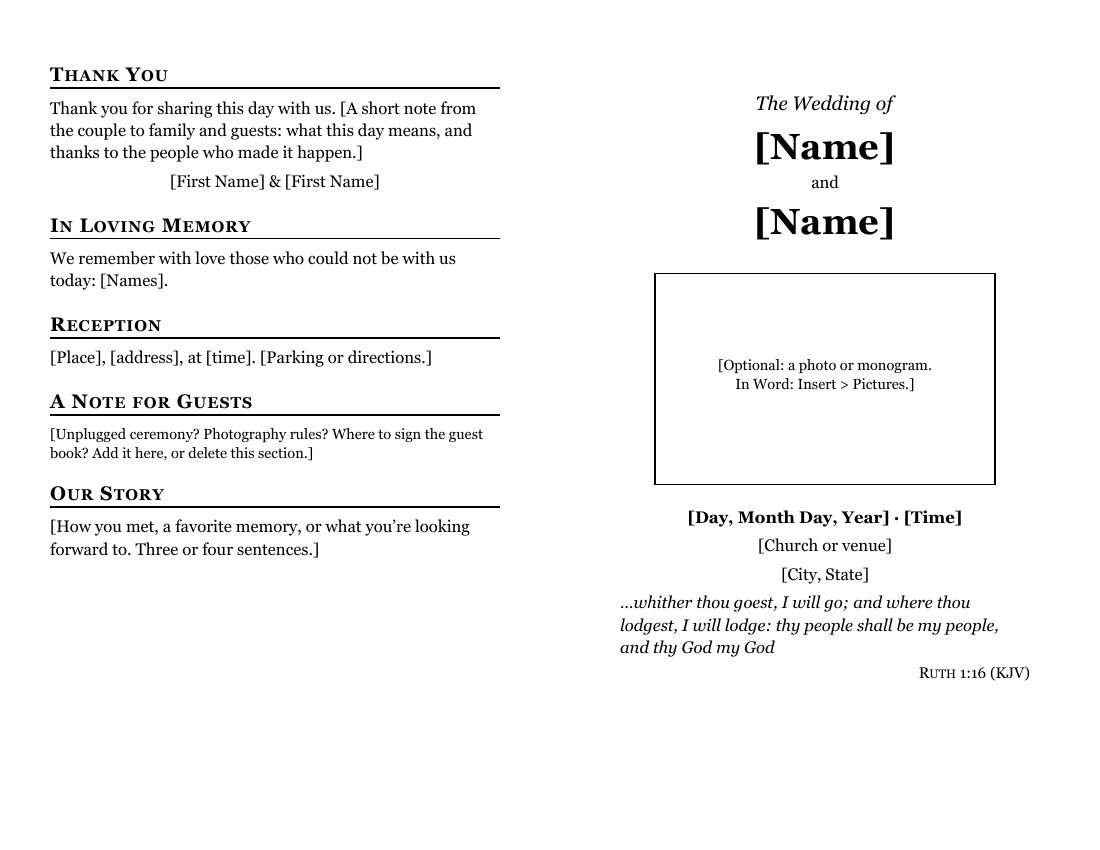
- Front cover: "The Wedding of", both names in large type, a box for a photo or monogram, the date, time and place, and a line from Ruth 1:16 in the King James Version: "…whither thou goest, I will go".
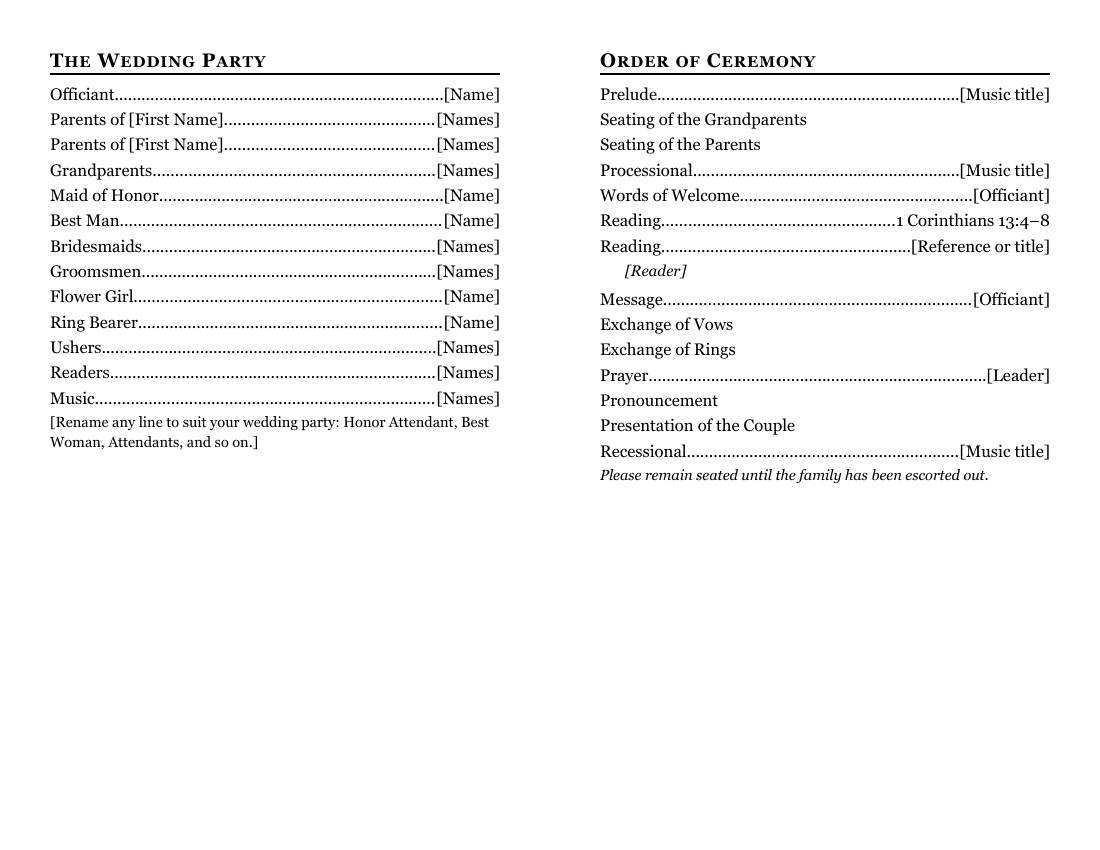
- Inside left: the wedding party, with dotted lines to each name: officiant, parents, grandparents, honor attendants, bridesmaids and groomsmen, flower girl, ring bearer, ushers, readers and musicians.
- Inside right: the order of ceremony, from the prelude and the seating of the families to the recessional, with lines for the readings and the music.
- Back cover: a thank-you from the couple, a line remembering loved ones who have died, the reception details, a note for guests and a short "Our Story".
The roles are labels, not rules. Rename any of them (Honor Attendant, Best Woman, Attendants) or delete the ones your wedding doesn't have.
Fill it in with Word
Click on each bracketed name and type. The dotted lines adjust by themselves. For a long list of bridesmaids, put the names on the line separated by commas, or press Shift+Enter after a name to start a new line under it without a new dotted line.
For the order of ceremony, get the running order from the officiant and match it line for line, so the program and the service agree. If your ceremony includes Communion, a unity candle or a hymn, add a line: click at the end of a line, press Enter, type the item, press Tab, and type the name or the music on the right.
For the cover photo or monogram, click inside the box and choose Insert > Pictures. If you'd rather have no picture, delete the box: click inside it, then on the Table Layout tab choose Delete, then Delete Table (Microsoft's steps). In Word for Windows you can also click the small square handle just outside the box's top-left corner and press Backspace (Microsoft Support).
To find anything you missed, use Word's search box (Ctrl+F on Windows, Command+F on a Mac; Microsoft's list of Word shortcuts) and type a single [. Word jumps to every bracket still in the document. When the search finds nothing, you're done.
Open it in Google Docs or LibreOffice
Weddings involve a lot of proofreaders. Upload the file to Google Drive (New > File upload), open it in Google Docs (Google: work with Office files), and share it so both families can check the spelling of every name. When it's final, download it as a PDF for the printer (File > Download).
LibreOffice Writer opens the .docx with File > Open; use File > Export As > Export as PDF for the final copy.
Print and fold it
Print two-sided, flipped on the short edge, and fold with the names facing out. Print one test copy and fold it before you print the rest.
Cream or ivory paper, or a light cardstock, looks finished without extra cost; make sure your printer takes it. If you're printing more than about 75 copies on an inkjet, consider the church copier or a copy shop. Bring a PDF so nothing shifts.
If you print a song with copyrighted words in the program, you need permission. Our hymns and copyright guide explains the options. A short single-use license is one of them, but ONE LICENSE's terms say printed copies must be destroyed when it ends (ONE LICENSE), which doesn't suit a program guests take home. Listing a song's title without the words needs no permission.
Related help
More templates
- Folded Sunday Bulletin2 pages
- Large-Print Order of Worship2 pages
- Monthly Church Newsletter2 pages
- Funeral or Memorial Service Program2 pages
- Concert or Event Program2 pages
- Prayer List2 pages
- Half-Sheet Announcements1 page
- Club Newsletter2 pages
- Family Cookbook Recipe Pages4 pages