Free Word template
Concert or Event Program
A choir concert, a Christmas pageant, a student recital or a community band night all need the same thing: a program that lists the pieces and thanks the people. This template does that on one folded sheet. It works just as well for a club's anniversary dinner or an awards night; rename the headings and it's an event program.
Clicking the button saves concert-program.docx (a Word document, 7 KB) to your Downloads folder. No sign-up, no email address.
- PaperUS Letter, landscape. Folds to 5½ × 8½ inches.
- PrintingOne sheet, printed on both sides
- In the file2 pages
- Opens inWord, Google Docs, LibreOffice
What it looks like
What's in it
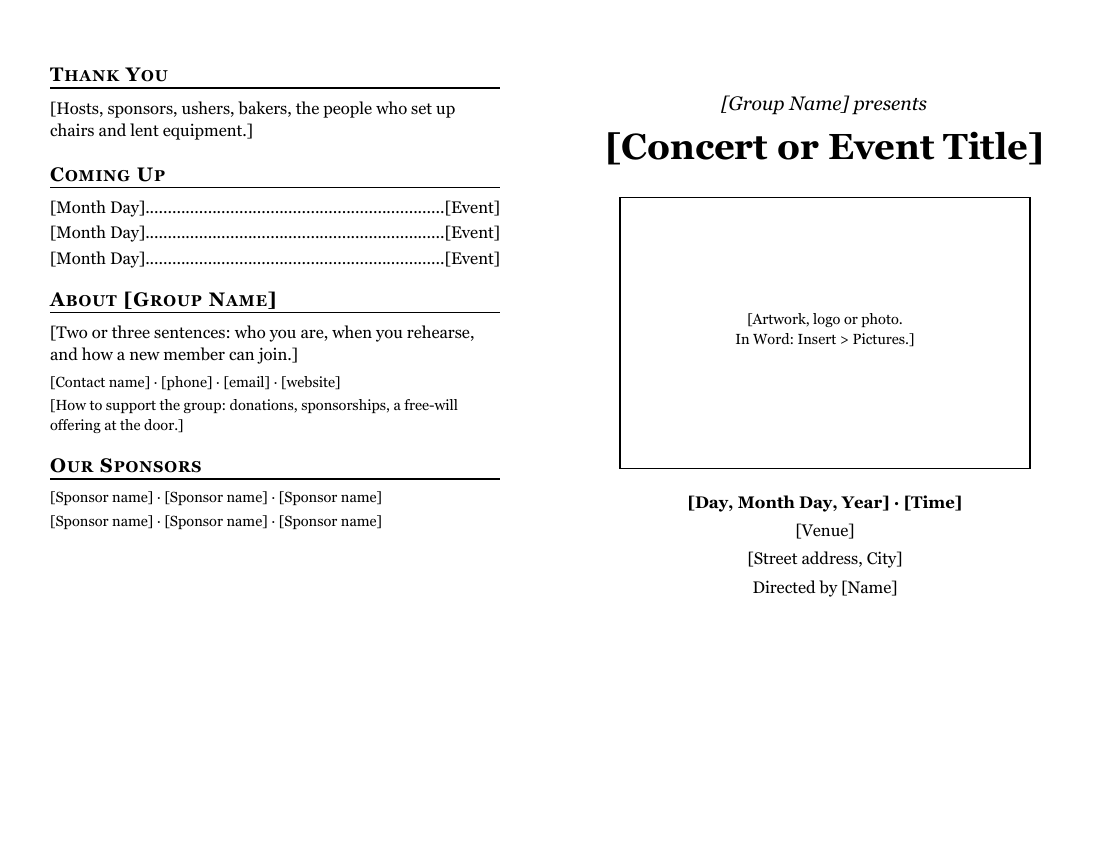
- Front cover: "[Group Name] presents", the event title, a box for artwork, a logo or a photo, and the date, time, venue, address and director.
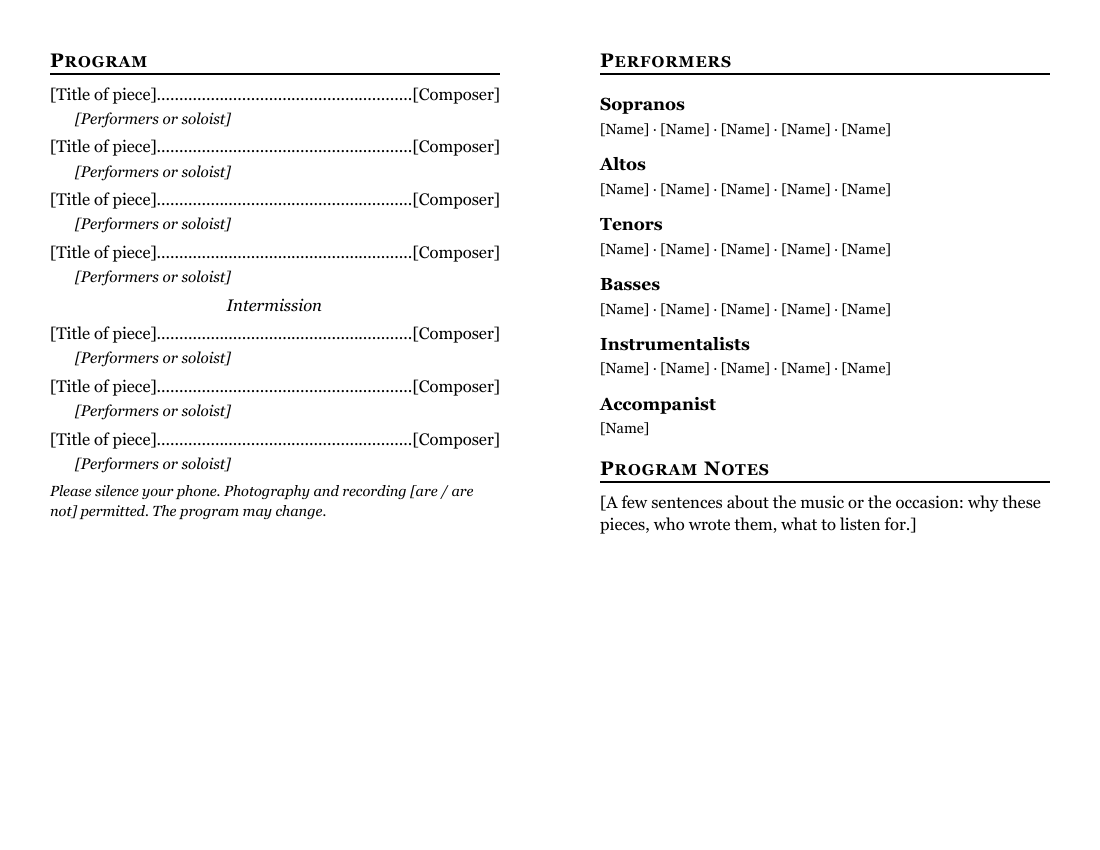
- Inside left: the program. Each piece has its title on the left, the composer on the right after a dotted leader, and the performers or soloist on the line below. There's an Intermission line between the halves and a note about phones and photography.
- Inside right: the performers by section (sopranos, altos, tenors, basses, instrumentalists, accompanist) and a short Program Notes section.
- Back cover: thanks, coming events, a paragraph about the group and how to join, and a place for sponsors.
Fill it in with Word
Type the pieces in the order they'll be performed. For a piece with movements, put the movement names on the performers line, or press Shift+Enter for more lines under it. If the program has more than seven pieces, copy one piece (both of its lines) and paste it where you need it.
For the performers, use one paragraph per section and separate names with a middle dot or a comma. A band or orchestra can replace the voice parts with instrument sections; a pageant can list roles ("Mary .......... [Name]") using the same dotted-line style as the program.
Composer names and dates are worth checking against the sheet music. If you print words of a song in the program (for a sing-along, say), those words may need permission; see hymns and copyright.
Performing the music is a separate question from printing it. A concert isn't a worship service, so the exemption for services doesn't cover it. A narrower exemption covers a live concert when nobody is paid to perform, promote or organize it, it has no commercial purpose, and either admission is free or the proceeds go only to educational, religious or charitable purposes (17 U.S.C. § 110(4)). If your concert doesn't meet all of that, performing copyrighted music may need a performance license. The hymns and copyright guide has the details.
To find anything you missed, use Word's search box (Ctrl+F on Windows, Command+F on a Mac; Microsoft's list of Word shortcuts) and type a single [. Word jumps to every bracket still in the document. When the search finds nothing, you're done.
Open it in Google Docs or LibreOffice
Upload the file to Google Drive and open it in Google Docs to share the draft with the director (Google: work with Office files). If the two inside panels don't line up after the upload, the column break between them may have moved; Google Docs adds one with Insert > Break > Column break.
LibreOffice Writer opens the .docx as is with File > Open.
Print and fold it
Print two-sided, flipped on the short edge, and fold with the title facing out. A program goes in every seat, so count seats, not tickets, and add ten percent for the people who want one to keep.
For cover art with large dark areas, use a laser printer or copier; inkjet ink can bleed through ordinary paper. If the program runs longer than one sheet, see the booklet guide for printing more pages in the right order.
Related help
More templates
- Folded Sunday Bulletin2 pages
- Large-Print Order of Worship2 pages
- Monthly Church Newsletter2 pages
- Funeral or Memorial Service Program2 pages
- Wedding Program2 pages
- Prayer List2 pages
- Half-Sheet Announcements1 page
- Club Newsletter2 pages
- Family Cookbook Recipe Pages4 pages